TARRABIZ
TARRABIZ
Tarrabiz: Designing Clear, Human-Centered Content for a Finance SaaS App.
Introduction
Purpose of the Case Study:
Designing content for a SaaS platform that empowers solo entrepreneurs and small businesses to manage payments, automate operations, and grow smarter, with content that reduces overwhelm and builds user confidence.
My Role:
UX Content Designer
Voice & Tone Strategist
Microcopy & Onboarding Flow Creator
Problem
Small business owners struggle with managing their finances, tools, and customer interactions using disconnected platforms. Financial terms and dashboards are often too technical, causing confusion and drop-offs.
Business Goals:
Simplify complex financial tasks
Improve payment and scheduling flow completion
Build trust through helpful, jargon-free copy
Content Goals:
Create a cohesive voice across flows
Guide users with clear instructions and feedback
Anticipate confusion and provide contextual help
Onboarding Flow Transformation
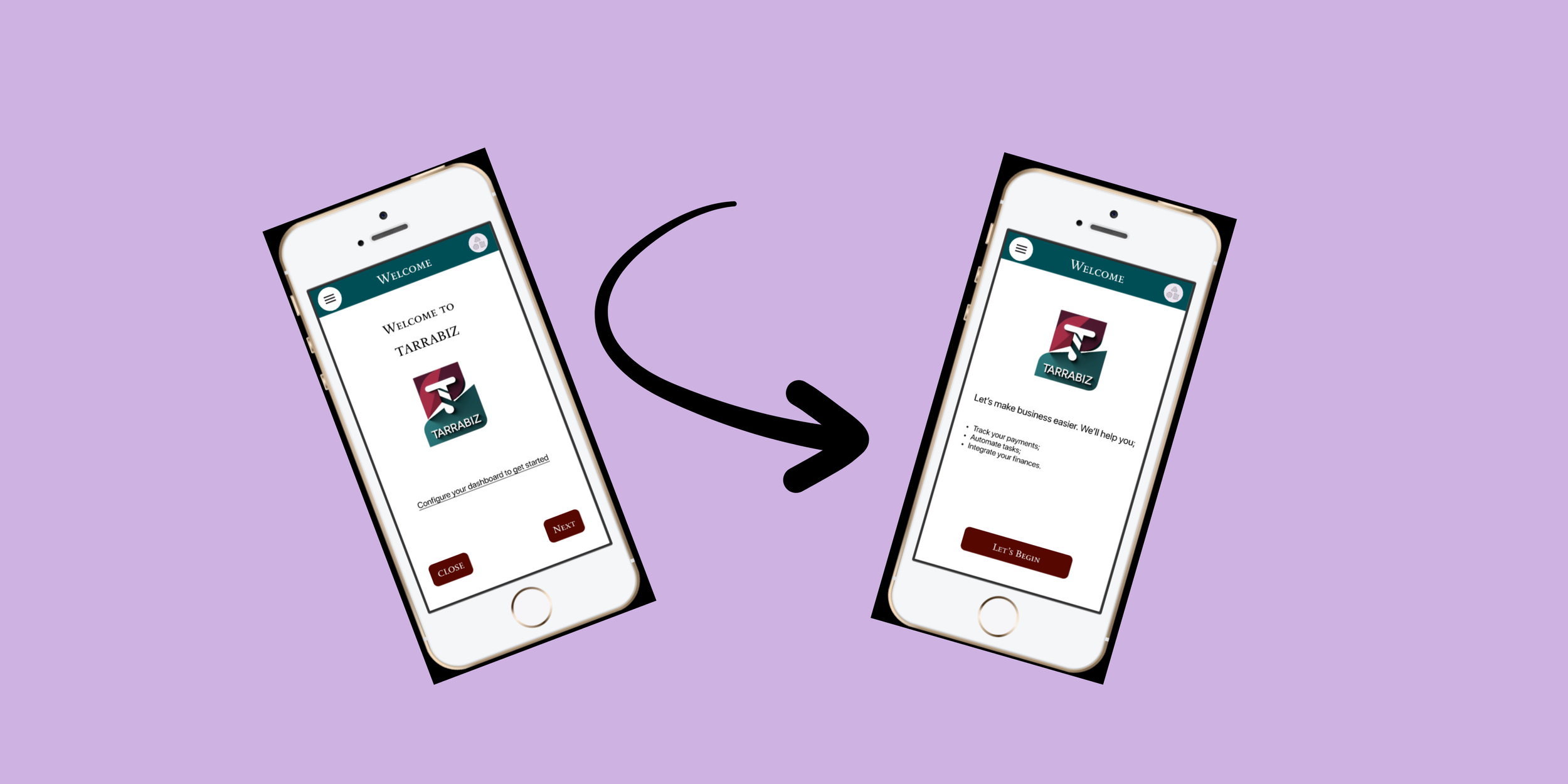
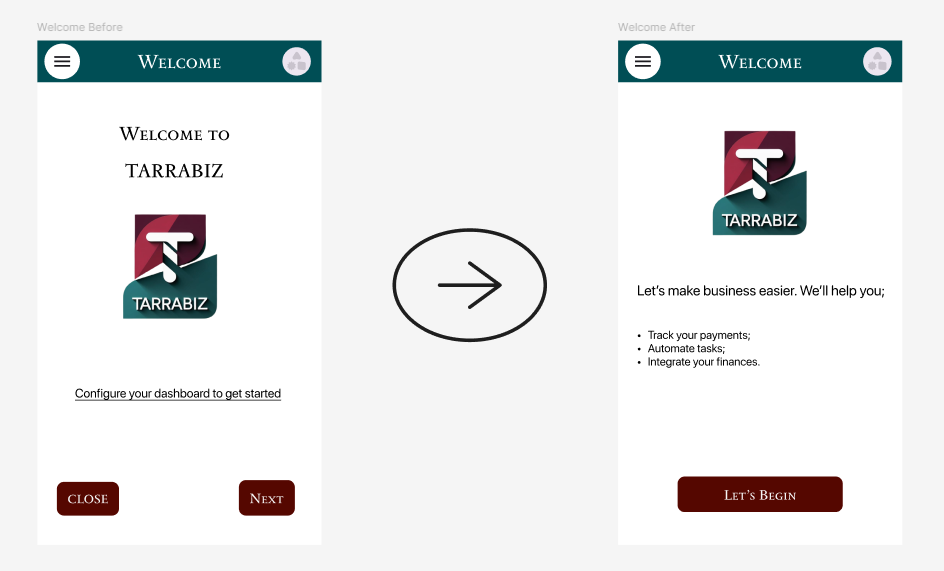
To improve the onboarding experience, I redesigned the welcome screen to be more user-centered and empathetic. The original message, “Configure your dashboard to get started”, was functional but lacked warmth or context. The revised version introduces a more conversational and reassuring tone. It clearly communicates the platform’s value while easing the user into the setup process with confidence and clarity.
Setup Prompts | Tooltip Microcopy
User Persona (Summarized)
Name: Anita: Business Coach
Pain Points:
Struggles with tracking international payments
Finds dashboards overwhelming
Wants help automating subscriptions and appointments
What content must do:
Use plain language and provide contextual help
Offer encouragement and next steps
Avoid tech jargon or financial complexity
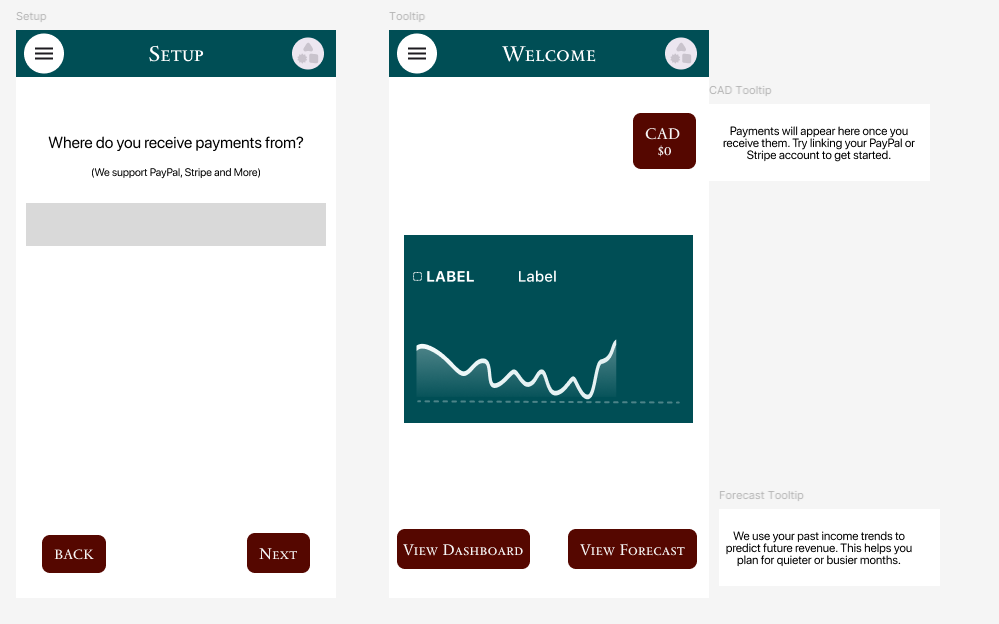
To support user clarity and reduce friction during the setup process, I focused on providing helpful, context-aware microcopy throughout key moments of the experience.
For prompts like “Where do you receive payments from?”, I added concise helper text, “We support PayPal, Stripe, and more”, to reassure users of compatibility without overwhelming them with options.
For the $0 state on the payments dashboard, I introduced a friendly and action-oriented message: “Payments will appear here once you receive them. Try linking your PayPal or Stripe account to get started.” This encourages progress while maintaining a calm tone.
Additionally, I crafted a simple and informative tooltip for the forecast module; “We use your past income trends to predict future revenue. This helps you plan for quieter or busier months.” to demystify a complex feature and help users understand its practical value at a glance.
Error State Highlights
Scenario
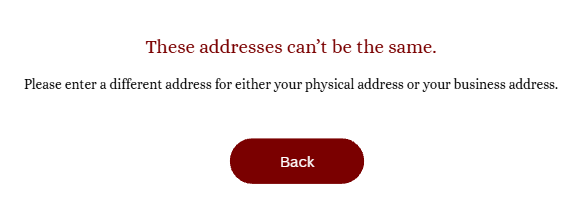
Given a user selects that they have both a physical address and a business address,
When the system detects that the two addresses entered are identical,
Then an error state is triggered, the user is prevented from moving forward, and guidance is shown instructing them to enter different addresses.
—————————————————————————————————————————————————————-
Scenario
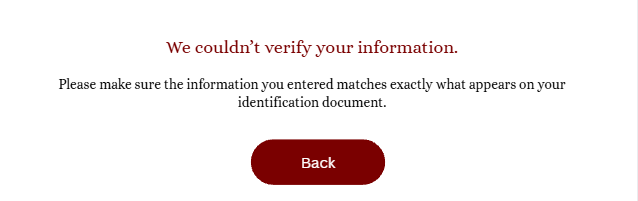
Given a user provides required personal information (such as name or date of birth) and uploads a valid ID document,
When the entered details differ from the information extracted from the ID,
Then the system triggers an error state, highlights the fields that may be incorrect, and prompts the user to review and correct the information before continuing.
—————————————————————————————————————————————————————-
Scenario
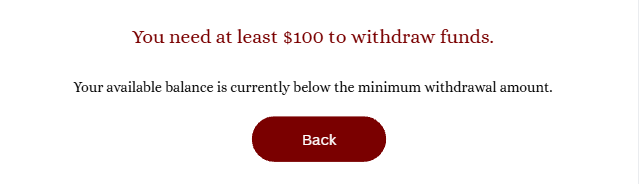
Given a user initiates a withdrawal from their business balance to their linked bank account,
When the withdrawal amount entered is below $100,
Then the system triggers an error state, blocks the transaction, and informs the user of the minimum withdrawal amount required to proceed.
—————————————————————————————————————————————————————-
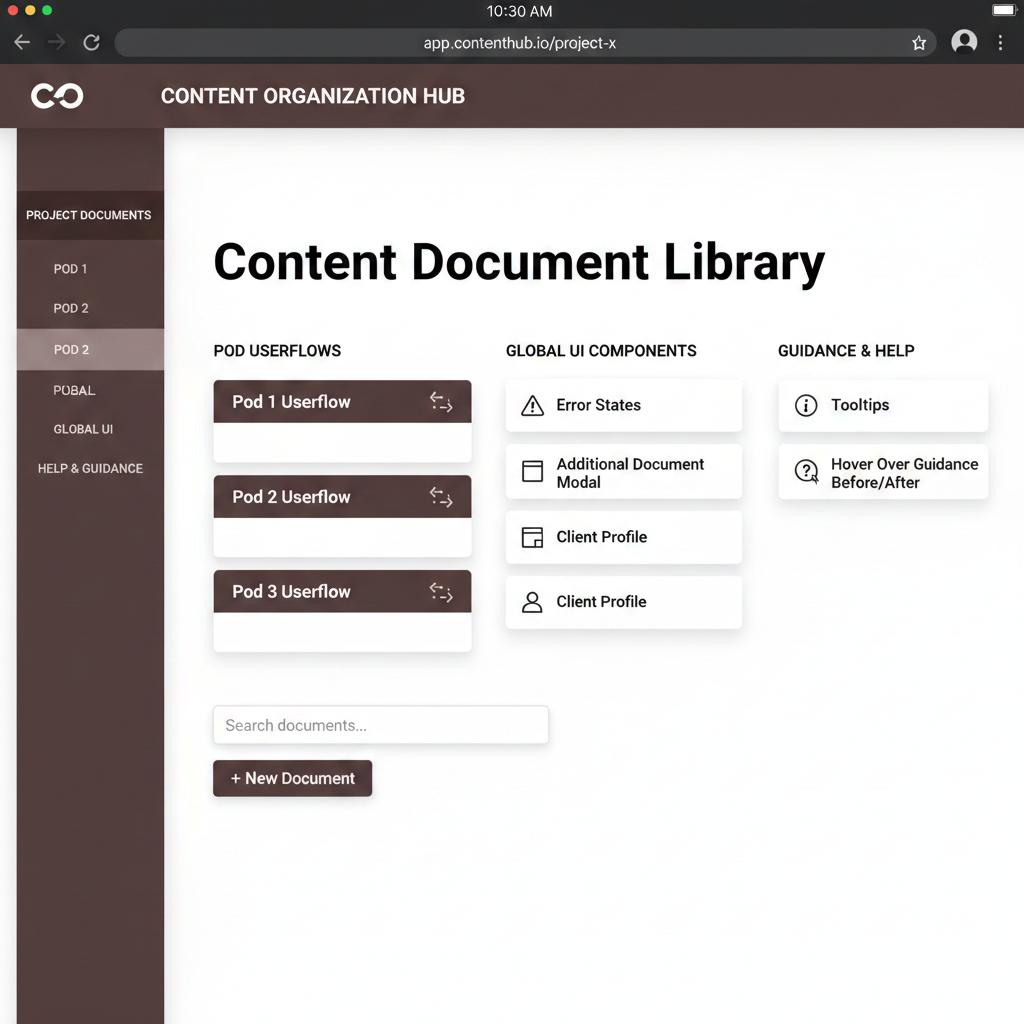
Content Document Library
I led the restructuring and organization of a complex product content document to create a single, reliable source of truth for the team. The goal was to make content easier to reference, reuse, and maintain across multiple user flows and product features.
I consolidated scattered documentation into a clear, centralized system covering user flows, error states, modals, tooltips, FAQs, and profile content. The structure was designed to improve findability, reduce duplication, and support consistent language across the product experience.
This organization made it faster for designers, writers, and product partners to locate the right content, reuse approved patterns, and track updates over time, ultimately improving workflow efficiency and content consistency.
Final Reflection & Lessons Learned
Words shape how users feel about money.
Good content isn’t just functional, it’s reassuring, empowering, and human.
Content design isn’t about writing a lot, it’s about writing just enough at the right time.